

Beyond Spreadsheets: The Definitive Comparison of Management Software for Small Business
Boost efficiency and foster growth: Choosing the right platform to streamline your operations, from customer relations to inventory.
Are your small business operations feeling chaotic, scattered across multiple tools and endless spreadsheets? Discover how integrated management software can bring order and significant growth.
Imagine effortlessly tracking every customer interaction, every sale, and every inventory item from a single dashboard. We'll show you how to find the perfect software solution to make that vision a reality.
The right technology can transform a small business, but the sheer number of options can be overwhelming. Cut through the noise and identify the management software that truly aligns with your unique needs and budget.
For small businesses, efficiency isn't just a buzzword; it's essential for survival and growth. As operations expand, relying on manual processes or disconnected tools quickly becomes unsustainable, hindering productivity and impacting the bottom line. This is where dedicated management software for small businesses becomes crucial, offering integrated solutions to streamline everything from customer interactions to inventory control. But with a crowded market full of options, how do you pinpoint the perfect fit? This guide explores business management software, comparing leading platforms tailored for small enterprises. We aim to simplify these choices, highlighting key features, benefits, and considerations to help you make an informed purchasing decision and empower your business to thrive.
Quick navigation
- Understanding Your Needs: Defining the Small Business Management Challenge
- The Core Players: Top Management Software Platforms for Small Business
- Feature Face-Off: Comparing Key Functionalities
- Investment & Scalability: Pricing Models and Growth Potential
- What this means for you
- Risks, Trade-offs, and Blind Spots
- Main Points
Understanding Your Needs: Defining the Small Business Management Challenge
Before exploring software solutions, a small business must first take a critical inventory of its own operational landscape. What are the bottlenecks and inefficiencies? Without clearly defining these, choosing the ideal management software for small businesses becomes a shot in the dark. Many small businesses grapple with scattered customer data, where contact information, communication history, and purchase records reside in disparate spreadsheets, email inboxes, and notes, making a holistic view of the customer impossible. This fragmentation inevitably leads to inefficient sales tracking, missed follow-ups, and a stalled sales pipeline.
Beyond customer relations, managing inventory can quickly become a significant headache. Discrepancies between physical stock and recorded inventory lead to overstocking, stockouts, and ultimately, lost revenue. Manual invoicing is another common administrative burden, consuming valuable time that could be better spent on core business activities. A lack of robust reporting capabilities often means business owners are flying blind, unable to gain actionable insights into sales performance, customer churn, or project profitability. Individually or collectively, these pain points waste time on mundane administrative tasks instead of strategic growth initiatives.
Effective management software isn't just about fixing problems; it's about providing an integrated solution that encompasses various critical business functions. This might include Customer Relationship Management (CRM) for nurturing leads and serving existing clients, a lighter version of Enterprise Resource Planning (ERP) to manage core operations, robust project management tools to keep teams aligned, or seamless integration with existing accounting software. Recognizing a "one-size-fits-all" approach rarely works, the initial step for any small business is to identify its specific operational needs, pinpointing which areas require the most significant overhaul and which functionalities are non-negotiable for future growth. Are unseen inefficiencies silently eroding your small business's potential for growth?
The Core Players: Top Management Software Platforms for Small Business
The market for management software for small businesses is dynamic, offering diverse platforms, each with unique strengths and specialties. While countless options exist, a few core players consistently emerge as top contenders, providing robust solutions that cater to the multifaceted needs of growing enterprises. Understanding these key platforms is crucial for making an informed comparison.
One prominent player is Zoho One, often praised as a comprehensive suite. Instead of a single application, Zoho One offers an ecosystem of over 40 interconnected apps, covering virtually every aspect of business operations, from CRM and project management to finance, HR, and marketing. Its strength lies in seamless integration; data flows effortlessly between applications, providing a unified business view. For a small business seeking an all-in-one solution, Zoho One offers a compelling value, eliminating the need for multiple subscriptions and complex integrations. It ensures tools are readily available as your needs grow.
For businesses with a strong customer-centric focus, HubSpot CRM Suite stands out. While HubSpot is renowned for its marketing and sales automation tools, its free CRM serves as a powerful foundation for managing customer interactions, tracking leads, and nurturing relationships. As businesses scale, they can upgrade to paid tiers that unlock advanced marketing, sales, service, and content management functionalities. HubSpot excels at providing intuitive tools for lead generation, pipeline management, email marketing, and customer service, making it an excellent choice for businesses prioritizing the customer journey. Among many solutions, which platforms truly stand out for small business efficiency?
QuickBooks, while primarily known as an accounting software, has expanded its offerings to include broader business management functionalities, particularly for product-based small businesses. Its strength lies in its seamless integration of financial data with inventory management, invoicing, and sales tracking. For small businesses where robust accounting and easy financial reporting are paramount, and who also need basic inventory and sales oversight, QuickBooks Online Advanced (or similar tiers) offers a familiar and comprehensive environment. When considering integrated suites or exploring financial management more deeply, it's worth exploring how these platforms handle dedicated accounting functionalities. A detailed examination of a SaaS accounting service complete guide can provide further insights into how these management platforms interact with or substitute dedicated accounting solutions.
Feature Face-Off: Comparing Key Functionalities
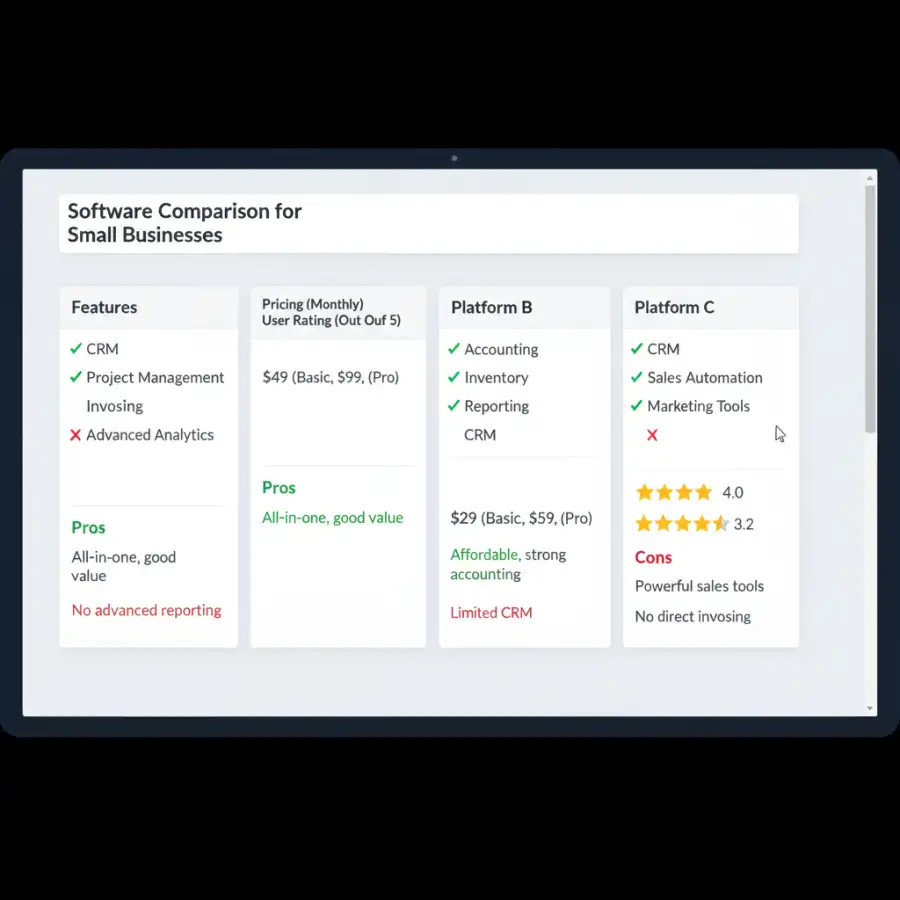
While the overall philosophy of each management software platform for small business might differ, a direct comparison of their core functionalities reveals their true strengths. This feature face-off is crucial for aligning a platform's capabilities with your daily operational demands.
Starting with CRM & Customer Management, a critical component for any growing business, HubSpot's CRM is particularly robust, even in its free tier. It offers intuitive lead tracking, detailed customer profiles, comprehensive communication history (emails, calls), and seamless integration with email and meeting scheduling tools. Zoho One also provides a powerful CRM within its suite, boasting advanced automation, sales forecasting, and a high degree of customization to track every facet of customer interaction. QuickBooks, while not primarily a CRM, offers good customer relationship management tied to sales and invoicing.
In the realm of Sales & Marketing, HubSpot excels with its powerful marketing automation workflows, email campaign tools, landing page builders, and sales pipeline management features. It's designed to nurture leads and convert them efficiently. Zoho One counters with its own comprehensive marketing and sales automation applications, including email campaigns, social media management, and robust quoting and proposal generation tools. For Project Management, platforms like Zoho Projects (part of Zoho One) offer extensive features: task assignment, deadline tracking, Gantt charts, time tracking, and team collaboration. While HubSpot includes some project tracking, it's not its primary focus. QuickBooks offers basic project accounting, but not full-fledged project management.
For businesses dealing with physical goods, Inventory & Order Management becomes paramount. QuickBooks, with its accounting roots, provides strong inventory tracking, reorder points, vendor management, and streamlined order processing, making it a solid choice for product-based businesses. Zoho Inventory, another app within the Zoho One suite, offers comprehensive multi-warehouse inventory management, order fulfillment, and seamless integration with e-commerce platforms. Salesforce Essentials offers basic inventory features, but often requires third-party integrations for complex needs. Do these platforms merely offer tools, or do they provide a strategic advantage for every facet of your growing enterprise?
Reporting & Analytics transform data into actionable insights. All top platforms offer customizable dashboards and reporting. HubSpot provides excellent visibility into sales pipeline performance, marketing campaign effectiveness, and customer service metrics. Zoho Analytics, a powerful business intelligence tool within Zoho One, enables thorough data analysis across all Zoho applications, offering highly customizable reports and dashboards. QuickBooks excels in financial reporting, providing clear insights into profitability, cash flow, and tax readiness. Finally, Integration Capabilities are a significant differentiator. Zoho One is built for internal integration, with apps designed to work seamlessly together. HubSpot offers a vast marketplace of integrations with popular third-party tools, while QuickBooks integrates well with a range of financial and e-commerce applications. The choice often comes down to which set of integrated functionalities best addresses your most pressing operational needs.

Investment & Scalability: Pricing Models and Growth Potential
The upfront and ongoing costs of management software for small businesses are crucial considerations. Understanding the pricing models, along with each platform's scalability, is essential for a sustainable long-term investment. Most modern business management software operates on a subscription-based model, often with tiered pricing determined by the number of users, the depth of features, or monthly usage limits.
Platforms like HubSpot offer a compelling entry point with a robust free CRM, making it highly attractive for startups and micro-businesses. As needs grow, users can upgrade to various paid "Hubs" (Marketing, Sales, Service, CMS) that unlock increasingly advanced features, with pricing typically scaling per user per month. This allows businesses to invest incrementally as they grow. Zoho One, while offering individual app subscriptions, is often most cost-effective when purchased as a comprehensive suite. Its pricing model is generally based on the total number of employees, making it a predictable cost for scaling teams. While it might have a higher initial entry cost than a free CRM, its all-encompassing nature can offer significant savings compared to subscribing to multiple separate services.
QuickBooks pricing is usually tiered based on the number of users and the level of accounting and management features required, with higher tiers offering more advanced reporting, inventory capabilities, and integrations. For all platforms, it's vital to investigate potential hidden costs. These can include add-ons for specific functionalities, premium integrations with third-party software, or increased fees for exceeding data storage limits. Always scrutinize what's included in each subscription tier to avoid unexpected expenses down the line. Is the initial price tag truly reflective of long-term value, or are there underlying costs that could surprise your budget?
Beyond current costs, scalability is a paramount concern for any growing small business. Can the chosen software gracefully accommodate an increasing number of users, expanding customer databases, and more complex operational workflows without requiring a complete system overhaul? Zoho One, with its vast ecosystem, is inherently designed for scalability, allowing businesses to activate new applications as their needs evolve. HubSpot's tiered structure is also built for growth, enabling seamless upgrades as marketing, sales, or service demands intensify. QuickBooks offers various versions, from simple self-employed options to more robust enterprise solutions, allowing businesses to migrate as their financial complexities increase. When evaluating the long-term value and growth potential of software, performing a thorough analysis is vital. Consulting a guide on ROI and cost-benefit analysis for software implementation can provide a structured framework for assessing whether a higher initial investment in a scalable platform ultimately yields greater returns and efficiencies over time.
What this means for you
For you, the small business owner, this deep dive into management software options means transitioning from uncertainty to empowered decision-making. No longer do you need to grapple with fragmented systems or guess which platform offers the best value. This detailed comparison equips you to precisely match a software solution to your most critical operational needs, whether that's strengthening customer relationships, streamlining sales processes, or optimizing inventory control. It's about making a strategic technology choice that isn't just a band-aid fix but a foundational pillar for sustainable growth.
The clarity gained from understanding each platform's strengths, pricing models, and scalability allows you to confidently assess how specific software will enhance your efficiency, improve customer satisfaction, and provide the actionable insights necessary for smart business steering. You can prioritize what truly matters for your unique enterprise – perhaps an intuitive CRM is your top priority, or perhaps robust accounting integration is non-negotiable. Ultimately, the "best" management software isn't a universal truth; it's the solution that most effectively addresses your specific pain points, aligns with your budget, and offers the flexibility to grow with your ambitious business. How can this clarity empower you to confidently select the technological backbone that propels your business forward?
Risks, Trade-offs, and Blind Spots
While the promise of streamlined operations and enhanced growth with management software is enticing, a pragmatic approach demands acknowledging the risks, trade-offs, and potential blind spots. Implementing new software is rarely a perfectly smooth process. Anticipating these challenges can save your small business considerable time, money, and frustration.
One significant risk is over-customization. While many platforms offer extensive customization, tailoring every detail can lead to an overly complex system that negates the simplicity you sought, often incurring extra costs and making future updates difficult. Another common blind spot is vendor lock-in. Once your business's critical data is deeply embedded within a specific platform, migrating to another solution if you become dissatisfied can be a daunting, costly, and time-consuming endeavor. This highlights the importance of data export capabilities and considering long-term commitment.
Training and adoption by staff is often an underestimated challenge. Even the most intuitive software requires an investment in training, and resistance to change from employees can significantly hinder successful implementation. Poor adoption means the software's benefits remain untapped. Furthermore, while platforms boast integration capabilities, these are not always seamless. Minor incompatibilities, data synchronization issues, or limitations in functionality between integrated systems can create new headaches. Crucially, data security and privacy are paramount, especially when entrusting sensitive customer and financial information to a cloud-based solution; always vet a vendor's security protocols thoroughly. What hidden complexities or future limitations might exist beneath the surface of seemingly perfect software solutions?
Finally, watch out for feature bloat—paying for a premium tier that includes many features you neither need nor use. This directly drains your budget. Conversely, miscalculating scalability means choosing a system that quickly becomes inadequate as your business grows, forcing another disruptive and costly migration. When considering advanced features and managing highly complex data sets, understanding platforms designed for larger enterprises, such as those covered in a guide on mastering Sage Intacct SaaS, can provide perspective on the depth of functionality required as businesses mature, highlighting the potential limitations of simpler small business solutions for future demands.

Main Points
- Before evaluation, clearly identify your core business challenges such as CRM, inventory, sales, or project management inefficiencies.
- Explore top management software solutions like Zoho One (comprehensive suite), HubSpot CRM Suite (customer-centric), and QuickBooks (accounting-centric with management).
- Compare platforms based on essential functionalities, including customer management, sales automation, project tools, inventory control, reporting, and integration capabilities.
- Thoroughly evaluate each platform's pricing models, subscription tiers, and overall scalability to ensure it supports both your current budget and future growth.
- Prioritize ease of use, intuitive interfaces, and robust onboarding to ensure rapid staff adoption and minimize operational disruptions during implementation.
- Be aware of potential pitfalls such as vendor lock-in, the temptation of over-customization, staff resistance to new tools, and subtle integration challenges.
- Actively leverage demo accounts and free trials to test how each software performs within your specific business context before committing to a purchase.
- The most effective management software for your small business is the one that directly addresses your unique pain points, aligns with your financial capacity, and provides a clear pathway for sustainable growth.
Empower your small business with the right technology. Start your software evaluation today, focusing on solutions that promise efficiency, scalability, and measurable growth.