

SaaS Accounting vs. Traditional vs. Cloud: A Deep Dive for Business Decisions
Unpacking the Differences to Choose the Right Financial Management for Your Business
Are you navigating the many accounting software options, unsure whether to stick with a familiar on-premise system or embrace the agility of the cloud? The right choice can define your financial future.
In this era of rapid digital transformation, understanding the fundamental distinctions between SaaS, traditional, and cloud accounting is essential for informed business decisions. Where does your business truly fit in this evolving landscape?
From upfront costs and IT burden to real-time accessibility and data security, every accounting software model presents unique advantages and trade-offs. Discover which architecture will genuinely empower your financial operations and drive growth.
For any business, the integrity and efficiency of its financial management are paramount. Accounting software serves as the backbone of these operations, enabling everything from tracking expenses and invoicing clients to managing payroll and generating critical financial reports. However, in an increasingly digital world, businesses face a pivotal decision: whether to opt for traditional, on-premise software, embrace a Software as a Service (SaaS) model, or utilize the broader concept of cloud accounting. The choices can seem bewildering, with terms often used interchangeably, leading to confusion rather than clarity.
This comprehensive guide aims to demystify the complex relationship between SaaS accounting, traditional accounting software, and cloud accounting. We will explore the core definitions, examine the distinct advantages and disadvantages of each approach, meticulously break down their respective cost structures, and highlight the key factors businesses should consider. By understanding these fundamental differences, you'll be empowered to make a well-informed decision that not only streamlines your financial processes but also aligns perfectly with your operational needs, budget constraints, and future growth aspirations. Let's uncover which accounting solution will best serve your business's unique demands.
Quick navigation
- The Evolving Landscape of Business Accounting: A Quick Overview
- Traditional Accounting Software: The On-Premise Stalwart
- SaaS Accounting Software: The Modern Subscription Model
- Cloud Accounting: Beyond SaaS and On-Premise Clarity
- What this means for you
- Risks, Trade-offs, and Blind Spots
- Main Points
The Evolving Landscape of Business Accounting: A Quick Overview
Before diving into a detailed comparison, it's crucial to establish a clear understanding of what each term – traditional, SaaS, and cloud accounting – truly represents. These concepts often overlap, yet they carry distinct implications for how your business manages its finances and IT infrastructure. How much has the way we manage finances truly changed in a decade?
Traditional Accounting Software refers to the classic model where software is purchased as a perpetual license and installed directly onto a company's own servers or individual computers. The business is fully responsible for hosting, maintaining, updating, and securing the software and its associated data. Think of older versions of QuickBooks Desktop or Sage 50 where you physically install the program from a CD or download file and run it directly on your machine.
Software as a Service (SaaS) Accounting represents a modern delivery model where accounting software is hosted by a third-party vendor and accessed by users over the internet, typically through a web browser or mobile application. Instead of purchasing a license, businesses pay a recurring subscription fee (monthly or annually) for access. The vendor manages all the underlying IT infrastructure, maintenance, security, and updates. Examples include QuickBooks Online, Xero, and FreshBooks.
Cloud Accounting is a broader, overarching term that describes any accounting software that processes and stores financial data online, allowing users to access it via the internet. SaaS accounting is, by definition, a type of cloud accounting. However, the term "cloud accounting" can also encompass self-hosted solutions where a business installs traditional accounting software on its own remote servers (a private cloud) or uses a third-party hosting provider to manage its traditional software in a cloud environment. For most small and medium-sized businesses today, when they talk about "cloud accounting," they are almost invariably referring to SaaS accounting due to its widespread adoption and ease of use. This distinction is vital for a clear comparison.
Traditional Accounting Software: The On-Premise Stalwart
For decades, traditional, on-premise accounting software was the standard for businesses. It offered a sense of control and familiarity that many companies valued. However, with the advent of more agile solutions, its position as the default choice has been challenged. Is the perceived security of owning your data truly worth the heavy IT overhead?
Traditional accounting software is characterized by its local installation. You purchase a license (often a one-time fee) and install the application directly onto your company's physical servers or individual workstations. All financial data resides within your own IT environment, and your IT department (or an outsourced IT provider) is responsible for its management. This includes tasks like system configuration, data backups, security updates, software patches, and hardware maintenance. Popular examples include older versions of QuickBooks Desktop, Sage 50, or Microsoft Dynamics GP when deployed locally.
Advantages:
- Full Control: Businesses have complete ownership and control over their data, servers, and the software itself. This can be crucial for companies with stringent regulatory or compliance requirements.
- Customization: On-premise solutions often offer more extensive customization options, allowing businesses to tailor the software precisely to their unique workflows and reporting needs, provided they have the technical expertise.
- Internet Independence: Core functionalities do not rely on an active internet connection, which can be an advantage in areas with unreliable connectivity.
- Perpetual License Potential: While often requiring ongoing support fees, the initial license is typically perpetual, potentially reducing long-term costs for stable systems.
- Internal Security Management: Your IT team manages all security, which some organizations prefer if they have robust in-house capabilities.
Disadvantages:
- High Upfront Costs: Requires significant initial investment in software licenses, servers, network infrastructure, and implementation services.
- Heavy IT Burden: The business is fully responsible for all maintenance, upgrades, backups, and security, demanding dedicated IT staff or costly external support.
- Limited Remote Access: Accessing the software and data remotely typically requires setting up complex VPNs or remote desktop services, hindering flexibility and collaboration.
- Scalability Challenges: Scaling up often involves purchasing additional licenses, upgrading hardware, and expanding IT infrastructure, which can be slow and expensive.
- Slower Updates: Software updates and new features are not automatic; they require manual installation and potentially system downtime.
Cost Structure: The cost model is characterized by a large initial capital expenditure (CapEx) for licenses and hardware, followed by ongoing operational expenditures (OpEx) for IT staff salaries, maintenance contracts, security solutions, and utility costs.
SaaS Accounting Software: The Modern Subscription Model
SaaS accounting software has rapidly become the preferred choice for countless businesses, large and small, due to its accessibility and operational simplicity. It represents a fundamental shift from owning software to subscribing to a service. Does the convenience and agility of a subscription model outweigh the perpetual recurring expense for your business?
SaaS accounting software is fundamentally a cloud-based solution delivered over the internet on a subscription basis. The software, along with all its underlying infrastructure, is hosted and managed by the vendor. Users access the application via a web browser or a dedicated mobile app, meaning they don't need to install or maintain any software on their own devices. This model has revolutionized how businesses approach financial management, offering a lean, agile, and often more cost-effective alternative to traditional setups. Prominent examples include QuickBooks Online, Xero, FreshBooks, Sage Intacct, and NetSuite.
Advantages:
- Lower Upfront Costs: Eliminates the need for large capital outlays on software licenses and server hardware, making it highly accessible for startups and small businesses.
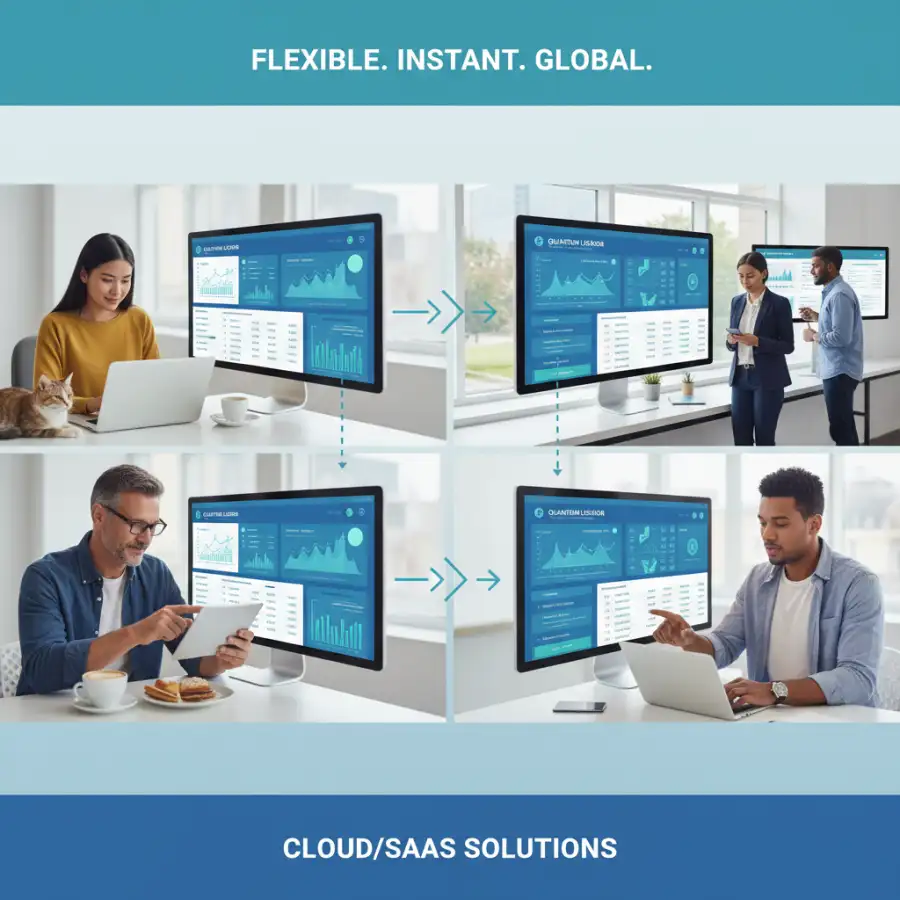
- Global Accessibility: Access your financial data and software from anywhere, anytime, using any internet-connected device. This facilitates remote work and real-time collaboration.
- Automatic Updates & Maintenance: The vendor handles all software updates, security patches, and server maintenance, ensuring you always have the latest features and highest security standards without lifting a finger.
- Scalability: Easily scale up or down by adjusting your subscription plan, adding or removing users, or accessing additional features as your business evolves.
- Reduced IT Burden: Significantly reduces the need for in-house IT expertise for software management, allowing your team to focus on core business activities.
- Enhanced Security: Reputable SaaS providers invest heavily in enterprise-grade security measures, often exceeding what most small or medium-sized businesses could afford on their own.
- Strong Integration Ecosystem: Many SaaS platforms offer robust APIs and pre-built integrations with a wide range of other business tools (CRM, payroll, e-commerce), creating a connected tech stack.
Disadvantages:
- Internet Dependency: A stable internet connection is absolutely essential for accessing the software and data. Downtime can halt operations.
- Recurring Costs: Subscription fees are an ongoing operational expense that can accumulate over time, potentially surpassing the upfront cost of traditional software in the very long run.
- Less Customization: While many SaaS solutions offer configuration options, they are generally less customizable than on-premise systems, as they operate in a multi-tenant environment.
- Perceived Data Ownership Concerns: Some businesses feel less in control of their data when it's hosted by a third party, though reputable vendors have strict data privacy and ownership policies.
- Vendor Lock-in: Migrating data from one SaaS provider to another can be complex and time-consuming, creating a form of vendor dependence.
- Reliance on Vendor Stability: Your business relies on the SaaS provider's continued operation and financial health.
Cost Structure: Predominantly an operational expenditure (OpEx), involving predictable monthly or annual subscription fees per user or per feature set, with no large upfront capital outlay.
Cloud Accounting: Beyond SaaS and On-Premise Clarity
The term "cloud accounting" often acts as a broad umbrella, encompassing SaaS accounting, but it also hints at other possibilities beyond the traditional on-premise model. It’s crucial to understand this distinction for a truly informed decision. If "cloud" is the future, how does a business truly harness its power without compromising control or security?
At its heart, cloud accounting refers to any accounting solution where the software and data reside on remote servers accessed over the internet, rather than being stored locally. While SaaS accounting is the most prevalent and accessible form of cloud accounting for most businesses, it's not the only one. Understanding this broader context can help larger enterprises or those with specific IT requirements explore other cloud options.
Private Cloud / Self-Hosted Cloud Solutions: Some organizations, particularly larger ones or those with unique compliance needs, might choose to host traditional accounting software in their own private cloud environment. This could involve using public cloud infrastructure providers (like Amazon Web Services or Microsoft Azure) to deploy and manage their on-premise software. This offers some of the benefits of cloud computing (remote access, scalability) while maintaining a higher degree of control over the infrastructure and data. However, it still requires significant internal IT expertise to manage, secure, and maintain the environment, effectively marrying aspects of traditional software's IT burden with cloud accessibility.
Key Benefits of the Cloud Paradigm (Applicable to both SaaS and Self-Hosted Cloud Accounting):
- Real-time Data Access: Financial data is updated instantly and accessible to authorized users from any location, fostering agile decision-making.
- Enhanced Collaboration: Multiple users (internal teams, accountants, bookkeepers) can access and work on the same financial data simultaneously, streamlining workflows.
- Improved Disaster Recovery: Data stored in the cloud is typically backed up across multiple servers and locations, offering superior protection against data loss from local hardware failures or disasters.
- Reduced Hardware Dependency: Eliminates or significantly reduces the need for powerful local servers and storage, lowering capital expenditures.
- Scalability and Flexibility: Cloud environments are designed to be highly scalable, easily accommodating business growth or fluctuations in usage.
Specific Considerations for Cloud Accounting in General:
- Absolute Internet Reliance: Uninterrupted internet access is fundamental. Any network outage can completely disrupt operations.
- Data Security: Trusting a third-party provider (SaaS) or the responsibility of securing your own cloud environment (private cloud) requires careful vetting and robust security protocols.
- Integration Ease: Cloud-native accounting solutions (SaaS) are often built with APIs that facilitate easier integration with other cloud-based business applications.
Cost Structure: For SaaS cloud accounting, it's a subscription model. For private or self-hosted cloud solutions, it involves ongoing costs for cloud infrastructure (e.g., AWS usage fees), software licenses, and internal IT management and security. The "cloud" aspect primarily shifts the infrastructure from physical hardware you own to a service you consume.
What this means for you
Understanding the intricate differences between SaaS, traditional, and cloud accounting isn't an academic exercise; it's a critical decision that will profoundly impact your business's financial operations, efficiency, and future trajectory. For you, the business owner or financial decision-maker, this comparison provides the framework to choose wisely and strategically. With so many variables, how do you tailor your choice to *your* unique operational structure?
Your business's size and stage of growth are paramount considerations. For **startups and small businesses**, SaaS accounting solutions typically offer the most compelling value. The low upfront costs, minimal IT overhead, ease of use, and quick setup allow you to focus on core operations without being bogged down by complex infrastructure. The scalability of SaaS means the software can grow with you, adapting to new employees, increased transaction volumes, and evolving reporting needs without major disruptions or expensive upgrades.
**Medium to large businesses** might find that more robust SaaS solutions (often labeled as "cloud ERP" or advanced SaaS accounting) meet their complex needs, especially if they prioritize remote collaboration, integration with a broad tech stack, and offloading IT management. Alternatively, some large enterprises with specific regulatory requirements, deep in-house IT expertise, and a need for extreme customization might still consider a private cloud deployment of traditional software, valuing granular control over data and infrastructure, despite the associated high costs and IT burden.
Ultimately, your choice should balance several key factors:
- Budget: Are you looking for a lower upfront capital expenditure (SaaS/Cloud) or are you prepared for a significant initial investment with potentially lower long-term variable costs (Traditional)?
- IT Resources: Do you have a dedicated IT team capable of managing servers, security, and software updates (Traditional/Private Cloud), or do you prefer to offload these responsibilities to a vendor (SaaS)?
- Customization Needs: How unique are your accounting workflows? Do you require extensive tailoring that only a traditional, on-premise system can provide, or can you adapt to standard SaaS functionalities?
- Accessibility & Collaboration: Is remote access and real-time collaboration essential for your team and external accountants (SaaS/Cloud), or is local access sufficient (Traditional)?
- Security & Compliance: Evaluate the security protocols of SaaS vendors versus your internal IT team's capabilities to protect sensitive financial data.
By carefully weighing these points against your unique business profile, you can confidently select an accounting solution that not only meets your current needs but also supports your future growth, ensuring financial accuracy and operational efficiency for years to come.

Risks, Trade-offs, and Blind Spots
While the benefits of each accounting software model are often highlighted, it's equally important to consider the underlying risks, inherent trade-offs, and common blind spots that businesses frequently encounter. A comprehensive understanding of these challenges is crucial for a smooth implementation and long-term satisfaction. Is the comfort of the familiar blinding you to the potential vulnerabilities of an outdated system?
For **SaaS and cloud accounting**, a significant risk is **internet dependency**. A stable and fast internet connection is non-negotiable; any outage can halt financial operations. The trade-off for global accessibility is this reliance on external network infrastructure. A blind spot can be underestimating the impact of slow internet or infrequent outages on productivity. Another trade-off is often **less granular customization** compared to traditional software; while configuration is possible, altering the core code is not. There's also the perceived (though often mitigated by robust security measures) **data ownership and privacy concern**, where data resides on a third-party server. Vendor lock-in, where migrating to a different provider becomes complex and costly, is another risk.
For **traditional, on-premise accounting software**, the risks are numerous and often costly. The primary one is the **high upfront investment** in licenses and hardware, coupled with the **significant IT burden** for maintenance, updates, and security. A common blind spot here is underestimating the ongoing operational costs associated with IT staff, security patches, and hardware depreciation. The trade-off for full control is the complete responsibility for disaster recovery, security vulnerabilities (if internal expertise is lacking), and the potential for **software obsolescence** if updates cease or fall behind regulatory changes. Remote work capabilities are also severely limited, hindering flexibility in modern work environments. Failure to adequately back up data internally poses a catastrophic risk.
Across all models, a critical blind spot can be **underestimating the total cost of ownership (TCO)**. For traditional software, the initial purchase is just the tip of the iceberg; add hardware, IT salaries, security software, and unexpected repairs. For SaaS, while upfront costs are low, the recurring subscription fees, if not carefully managed or if a business scales rapidly into higher tiers, can accumulate significantly over years. Another oversight is **neglecting user training**. Any new system requires time for employees to learn and adapt. Without adequate training, even the most intuitive software can lead to inefficiencies and user frustration. Finally, not considering **integration capabilities** from the outset can lead to data silos and manual data entry, negating many of the benefits of a modern accounting solution.
Main Points
Choosing the right accounting software is a foundational decision that impacts every aspect of your business's financial health. By understanding the core distinctions, you can make a choice that aligns with your strategic goals:
- Traditional Software: Offers maximum control and customization but demands high upfront costs and significant internal IT resources.
- SaaS Accounting: Provides accessibility, automatic updates, and reduced IT burden through a predictable subscription model, ideal for agility and scalability.
- Cloud Accounting (Broad Term): Encompasses SaaS, emphasizing internet accessibility and real-time data, though private cloud options exist for greater control with IT overhead.
- Cost Structures Differ: Traditional involves high CapEx and ongoing OpEx for IT; SaaS is primarily OpEx with recurring subscription fees.
- Accessibility is Key: SaaS and Cloud enable remote access and collaboration, crucial for modern workforces, while Traditional limits this.
- IT Responsibility: SaaS vendors manage infrastructure and security, freeing up your team; Traditional places full responsibility on your internal IT.
- Scalability & Updates: SaaS offers easier, automatic scaling and updates; Traditional requires manual, often costly, upgrades.
- Match to Business Needs: Small businesses typically thrive with SaaS; larger enterprises may weigh unique needs against the control of private cloud solutions.
Evaluate your budget, IT capabilities, remote work needs, and desired level of customization. Make your choice wisely to move your business forward with confidence and clarity in your financial operations.